


 Join us on Discord













Take your Lovable Knowledge to CLAUDE.md or AGENTS.md
Lovable keeps its notes for the AI, called Knowledge, in the project settings. They do not move with the code. Claude Code, Codex and Cursor read their notes from a file in the project instead. Let the tool write that file, then add your Knowledge to it.
Which file each tool reads
| Tool | File in the project root |
|---|---|
| Claude Code | CLAUDE.md |
| Codex | AGENTS.md |
| Cursor | AGENTS.md |
The tool reads the file at the start of every session.
1. Copy your Knowledge
In Lovable open Project settings, Knowledge and copy the text. Skip this step if you never wrote any.
Your workspace can have its own Knowledge too, for all its projects. Copy that as well. Workspace owners and admins find it under Workspace settings, Knowledge.
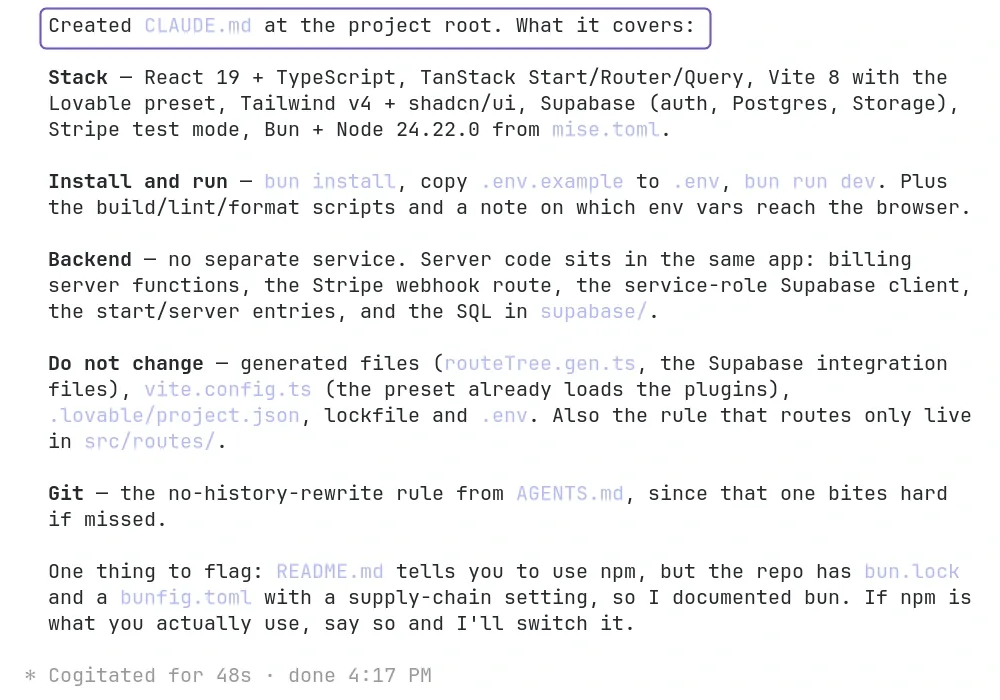
2. Let the tool write the file
Paste this into Claude Code. For Codex and Cursor, write AGENTS.md instead of CLAUDE.md.
Read this project and create a CLAUDE.md file in the project root. List the stack, how to install and run the app, and which files you must not change. If the app has a backend, say where its code lives. Keep it under one page.
Then paste your Knowledge into the tool, so it ends up in the file too.
3. Check it
Show me the CLAUDE.md file in short: the stack, the command that runs the app and the files I must not change.
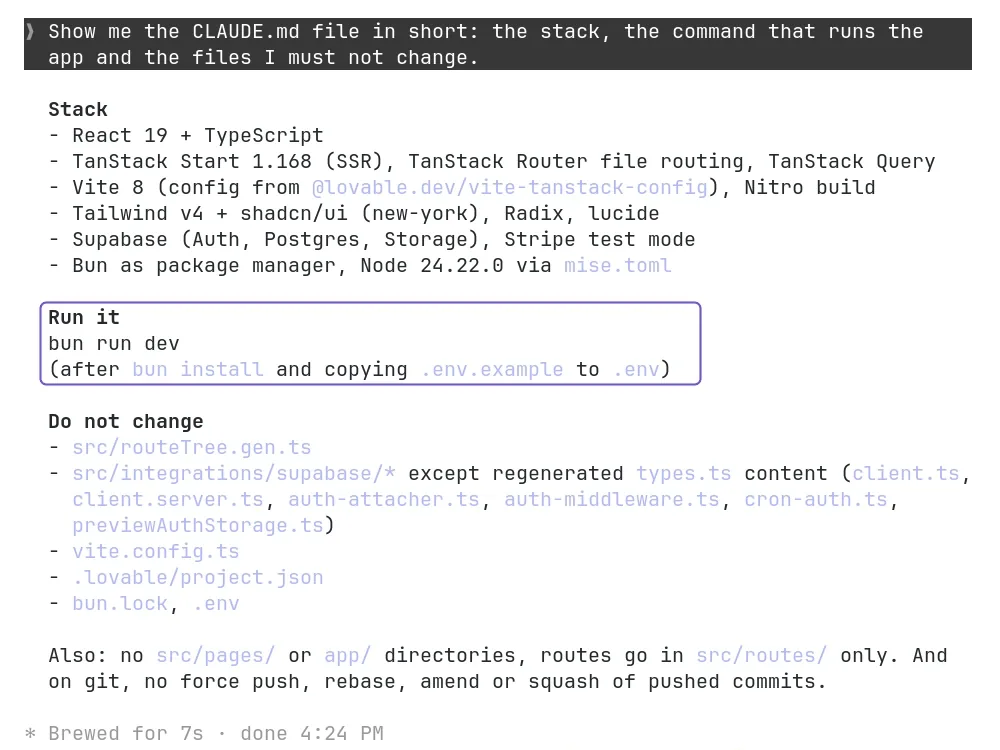
Read the file. You should see the stack, the command that runs the app and what the tool should not touch.
4. Push it
Send the file to GitHub, so it stays with the code:
Commit all changes with a short message and push them to GitHub.