


 Join us on Discord













Deploy a Lovable app to Cloudflare Pages
Cloudflare Pages builds your Lovable app from GitHub and deploys it again on every push. Lovable's docs list it for both kinds of Lovable app, but the steps below were written for the older kind, so check which one you have first.
Does your app fit Pages?
It depends on when you made the app. Apps created in Lovable since 13 May 2026 use TanStack Start and run server code. Older apps use React and Vite and build to static files. Open package.json in your repository. If it lists @tanstack/react-start, it is a TanStack Start app.
Before you start
- The project is on GitHub.
- You have a Cloudflare account.
- The app builds. Ask your AI tool: 'Run npm run build and fix any error. Then commit and push the fixes to GitHub.'
1. Create the Pages project
In the Cloudflare dashboard go to Workers & Pages and create a Pages project from your GitHub repository. Use these build settings and deploy. Your .env file is in the repository, so the build reads the Supabase values from it.
| Setting | Value |
|---|---|
| Framework preset | React (Vite) |
| Build command | npm run build |
| Build output directory | dist |
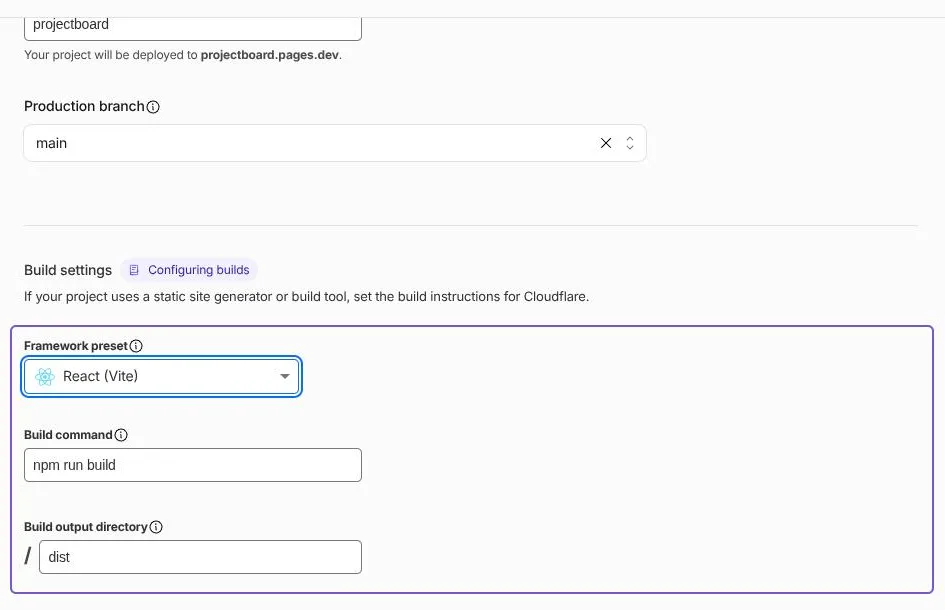
From now on every push to the main branch deploys again. Your app gets an address that ends in .pages.dev.
2. Open the app
Open the .pages.dev address and click through the main pages. Then open a page other than the home page and reload it. You should see the same app as on localhost, and no 404 error.
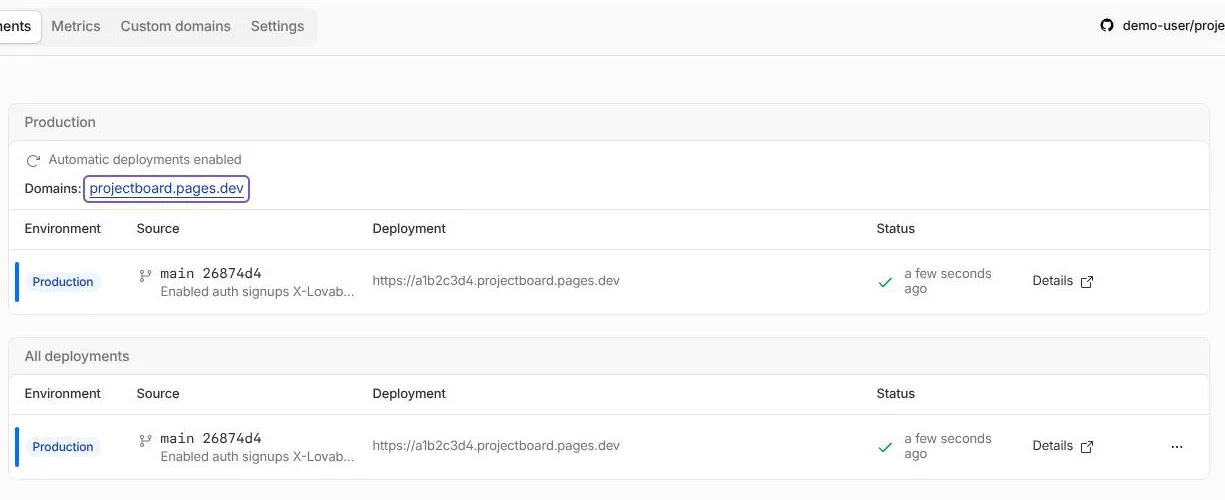
If a reloaded page shows a 404 error, ask your AI tool: "Reloading a page other than the home page gives a 404 error on Cloudflare Pages. Fix it, then commit and push."
3. Make logins work
If people log in, add the .pages.dev address and later your domain to the redirect URLs in Supabase or Lovable Cloud. Otherwise login sends people back to Lovable.
4. Your domain
Cloudflare serves your main domain (without www) only when Cloudflare also runs its DNS. Add the domain in the Cloudflare dashboard, check that your email records (MX) are in the list and change the name servers where you bought the domain.
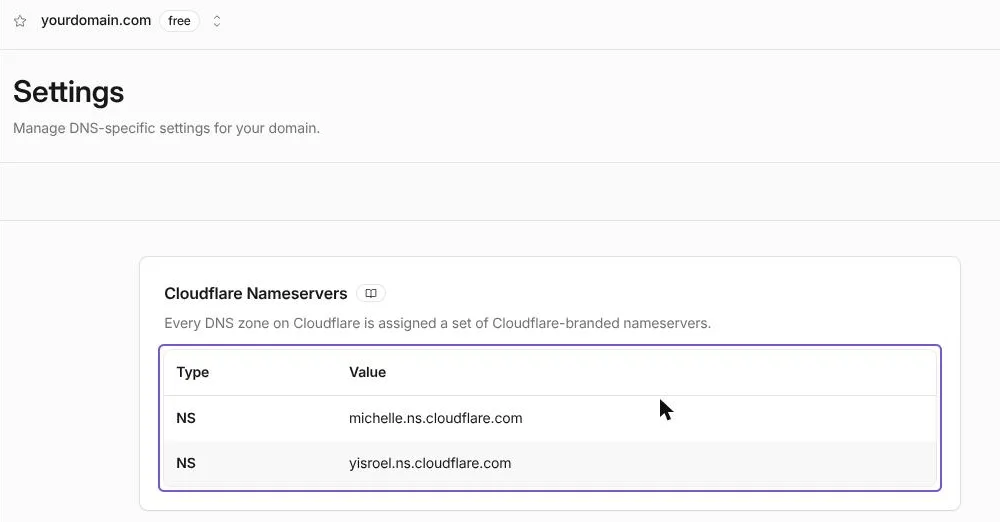
When Cloudflare shows the domain as active, open your Pages project, go to Custom domains and add the domain and www. Remove the domain from Lovable once the new site loads.
Sources
- Cloudflare docs: Deploy a React site on Pages
- Cloudflare docs: Pages custom domains
- Lovable docs: Deploy and host outside Lovable