


 Join us on Discord













Move from Replit to Codex, step by step
Push your Replit app to your own GitHub repository and continue building with OpenAI Codex, in the Codex app or in the terminal. The steps follow your app: keep Replit hosting, or move the app and its database to a new host.
What you'll do during the migration
Your migration is split into four stages, with step-by-step instructions, detailed explanations and practical examples.
Your setup
Tell us what your app uses and where you want it to run.
Preparation
Get GitHub, Node.js and Codex ready, plus anything else your app needs.
Migration
Follow 8 to 18 steps, depending on your app. Each shows you what to do and how to check it worked.
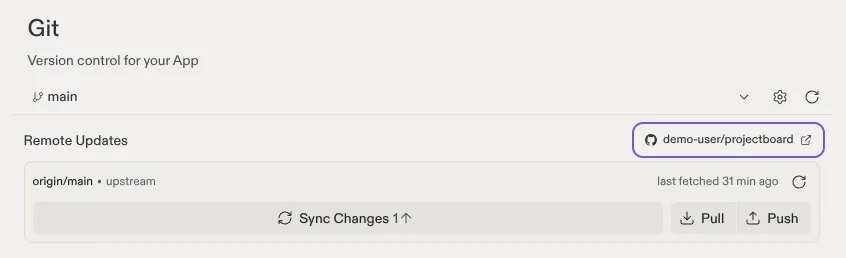
- Push the project to GitHubConnect the Replit app to GitHub in the Git pane and push it to a private repository.
- Get your code onto your computerCopy the private repository to a folder on your computer.
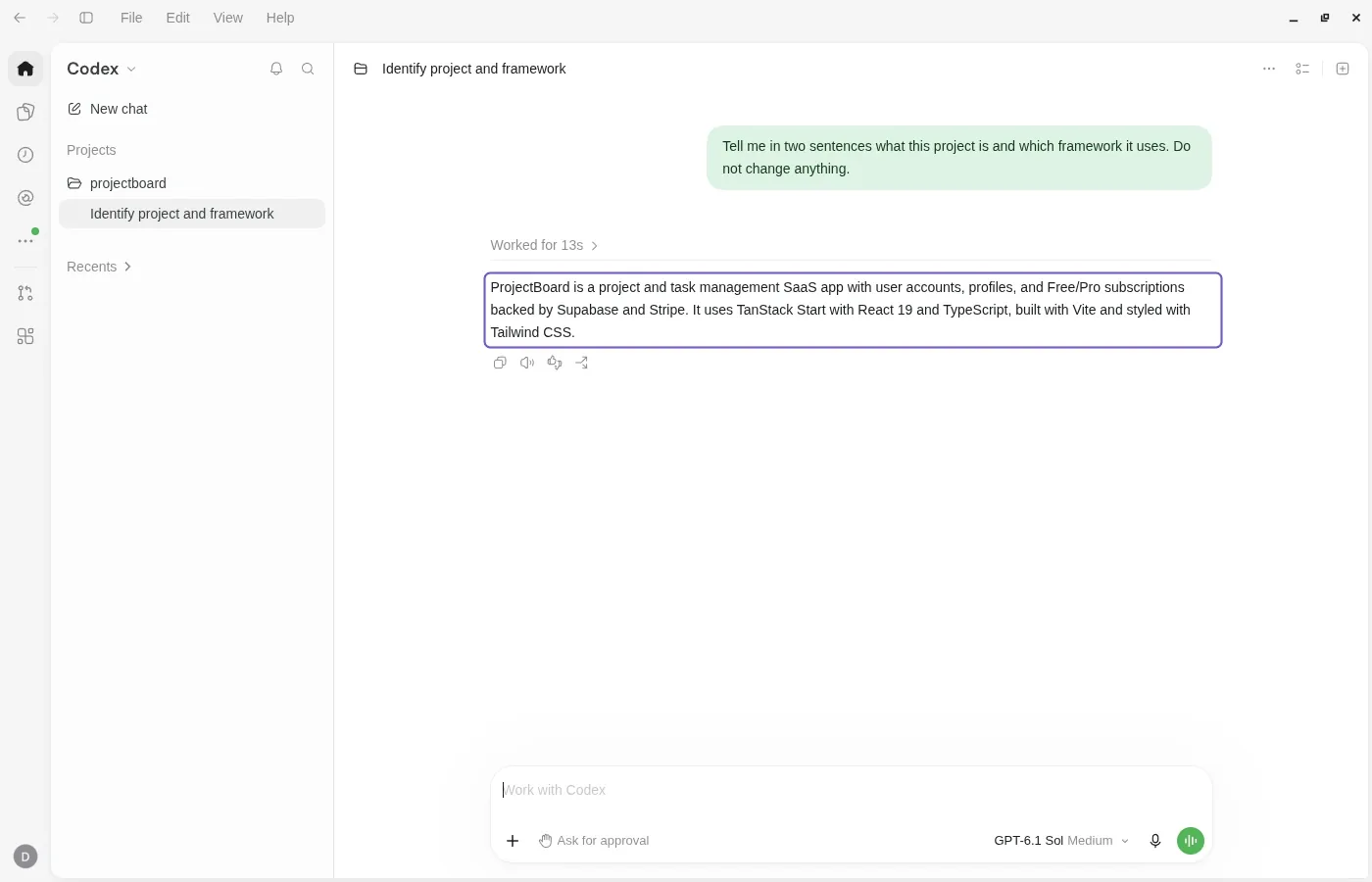
- Open the project in the Codex appAdd the project folder to the Codex app and start a thread in it.
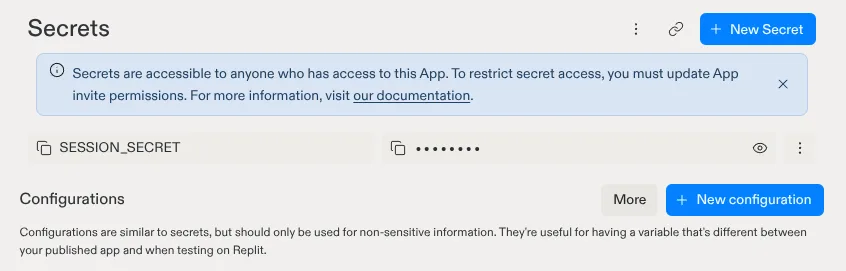
- Copy your secretsCopy the keys from Replit Secrets into a .env file on your computer.
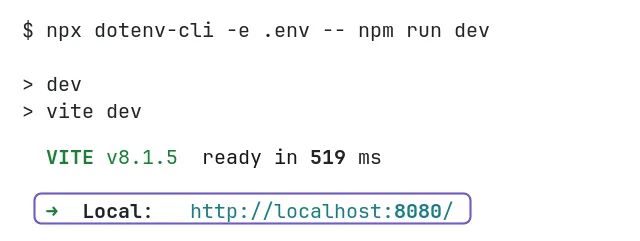
- Run your app on your computerInstall what the app needs and start it with the keys from .env.
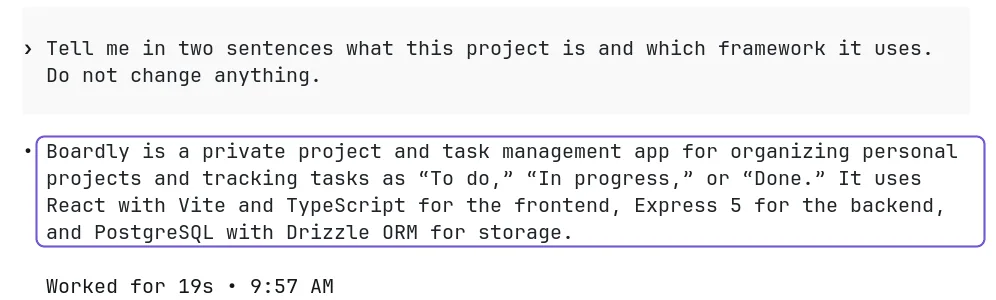
- Open the project in CodexStart Codex in the project folder in a terminal.
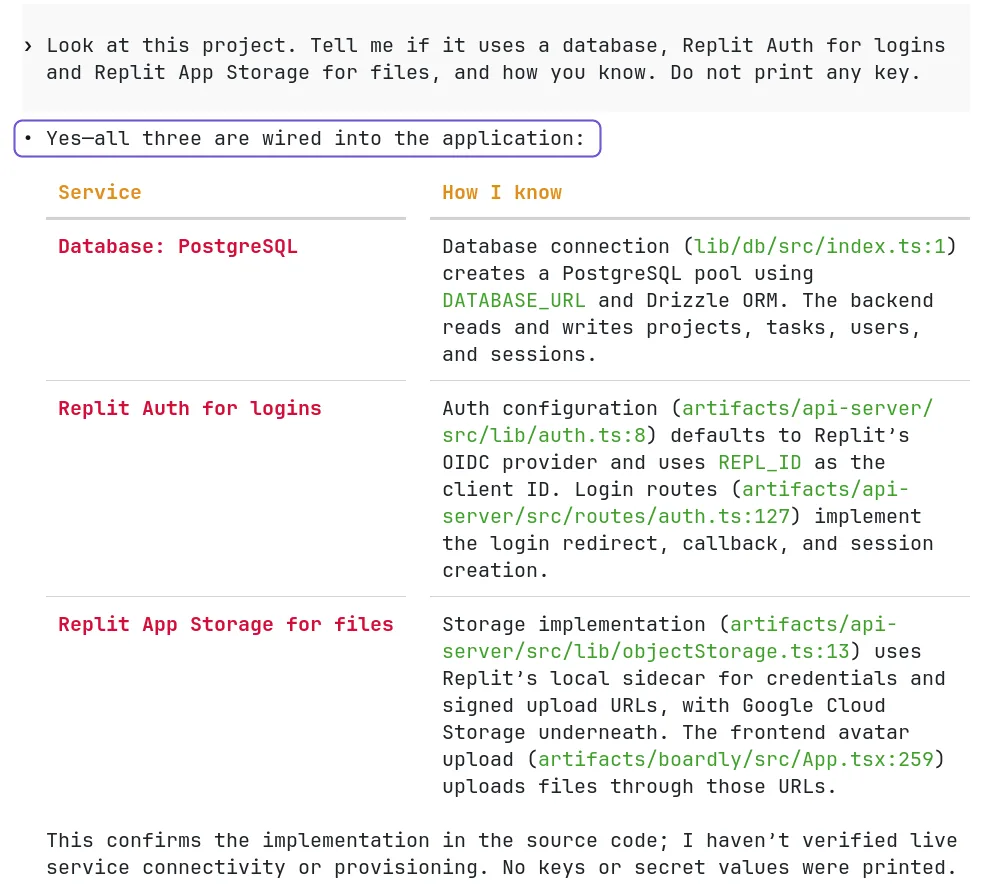
- Check what your app usesFind out if the app uses a database, Replit Auth and App Storage.
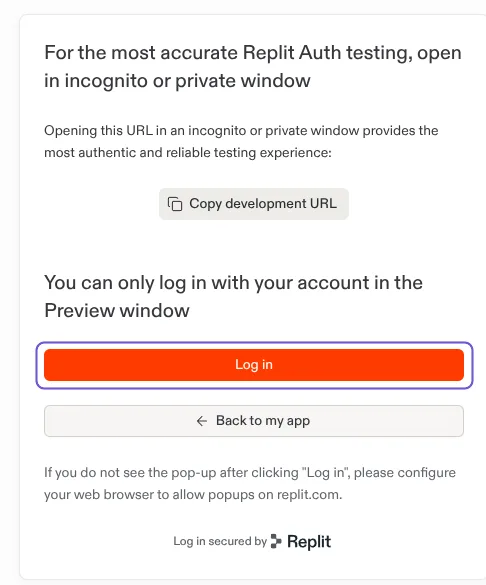
- Test logins and uploads on ReplitReplit Auth and App Storage work only on Replit, so you test them in the Replit preview.
- Back up your databaseMake a copy of the production database before you change anything.
- Set up your own Supabase projectCreate a Supabase project for the database, the logins and the files.
- Move your databaseRestore the backup into your Supabase project and point the app at it.
- Switch the login to SupabaseCodex changes the login from Replit Auth to Supabase Auth.
- Copy uploaded filesCopy the files from App Storage to Supabase Storage and change the upload code.
- Remove the Replit partsCodex removes what only works on Replit and checks that the app builds.
- Tell Codex about your projectCodex writes an AGENTS.md, a short note it reads at the start of every session.
- Prepare the server for VercelCodex changes the Express server so Vercel can run it as functions.
- Send your changes to GitHubPush your changes so the new host builds the latest code.
- Deploy to VercelImport the GitHub repository in Vercel, add the values from .env and deploy it.
- Run your app on your own serverCodex deploys the app on your VPS through PanelAlpha Engine, with HTTPS.
- Deploy every push automaticallyAdd a GitHub webhook so every push deploys the app on your VPS.
- Make logins work on your new addressAdd the new address to the login settings in Supabase.
- Point your domain to the new hostChange your domain's DNS records so the domain opens the new host.
- Keep your code in sync with ReplitPull before you work and push when you finish, so Replit and Codex stay in sync.
- Publish your changes from ReplitPull your changes into Replit and publish the app again.
- Turn off the app on ReplitTurn off the old deployment on Replit once the new app works.
Final check
Test everything before switching. Your Replit app stays online until you're ready.
What the steps look like
What you can and can't migrate from Replit
Comes with your code
- Your frontend and server code
- The database schema in your code
- Images and other static files
You'll set this up
- Your keys from Replit Secrets in a .env file
- An AGENTS.md file to help Codex understand your project
Stays with Replit
- Replit Agent and its chat
- Replit Auth and App Storage, unless you move them to Supabase
- Replit hosting (your app stays online until you move it)
Common problems
The app starts but cannot reach the database
Fix: On Replit the app gets its keys from Replit. On your computer they come from .env. Check that DATABASE_URL is in .env and that you started the app with the keys from that file.
The port is already in use
Fix: Replit apps often use port 5000. On a Mac, AirPlay Receiver uses it too. Turn it off in System Settings, or ask Codex to use another port.
Codex stops and asks for approval
Fix: Codex asks before it works outside the project folder or goes online, for example for npm install. Read what it wants to run, then approve it.
Login fails on localhost
Fix: Replit Auth works only on Replit. Test logins in the Replit preview, or move the logins to Supabase if the app leaves Replit.
Questions
Do I need to code?
No. In the Codex app you only paste prompts. In the terminal you also run a few commands. Codex writes the code.
Does the app go offline during the move?
No. It keeps running on Replit until you turn it off yourself.
Can I keep using Replit?
Yes, if the app stays on Replit. Replit and Codex then edit the same code through GitHub. You pull before you work and push when you finish.
How many steps will I have?
It depends on your app. An app that stays on Replit has 8. An app that moves to a new host with its data, logins and domain has up to 18. Your plan only shows the steps that apply to you.
Is Codex free?
Codex is included in every ChatGPT plan, also the free one. Plus is $20 a month. You can also use an OpenAI API key. Prices checked on 14 October 2026.
Where do I tell Codex how my project works?
In an AGENTS.md file in the project folder. Codex reads it before it starts work. The steps help you write one.
Articles about Replit
All guides
 Replit to a repo you ownYour Replit app on localhostWhat you get for free