


 Join us on Discord













Deploy Lovable edge functions with the Supabase CLI
Lovable deploys your edge functions for you. When you leave Lovable, nobody does that any more. You deploy them with the Supabase CLI, or let your AI tool do it. They run on Supabase, not on your host.
Do you need this?
Only if your repository has a supabase/functions folder, you stop using Lovable and the backend is your own Supabase project. While you still edit in Lovable, it keeps deploying them.
1. List the functions and the secrets they read
Paste this into Claude Code, Codex or Cursor in the project folder:
List every function in the supabase/functions folder and the secrets each one reads. List the names only. Do not print any value.
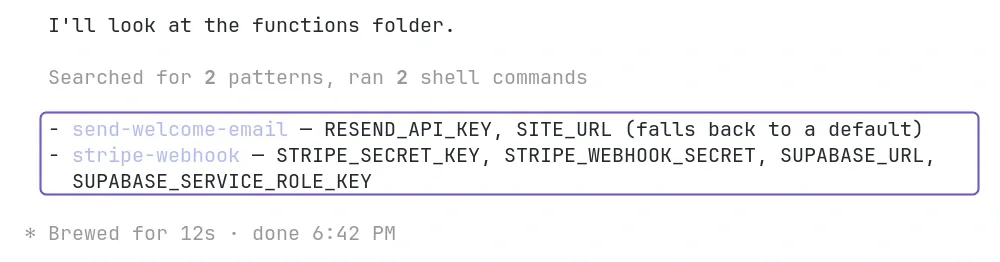
2. Add the secrets
Add the secret values yourself in the Supabase dashboard under Edge Functions, Secrets, with the same names as before. Do it before you deploy: a function that reads a missing secret fails. Do not paste secret values into the chat.
3. Link the project and deploy
The project ref is the code after /project/ in the address of your project in the Supabase dashboard. Link the folder to that project once, then deploy.
npx supabase login
npx supabase link --project-ref YOUR-PROJECT-REF
npx supabase functions deploy
Or paste this into your AI tool and check each command before you approve it:
Log in to the Supabase CLI and link this project to the Supabase project the app uses. List every function in the supabase/functions folder and the secrets each one reads. Then deploy the functions. Do not set any secret.
4. Check that they run
Do one thing in the app that calls a function, then open that function under Edge Functions in the Supabase dashboard and look at Invocations. You should see it work in the app and a new run of that function.