


 Join us on Discord













Move Stripe and AI keys out of Lovable
An app with AI or payments reads secret keys in its edge functions. Lovable keeps those keys for you and they do not come with the code. Before the app runs without Lovable, you add every key again and move the Stripe webhook.
Do you need this?
Only if the backend moves from Lovable Cloud to your own Supabase project. If the app keeps Lovable Cloud, its secrets stay in Lovable and keep working, also when you host the app somewhere else.
1. Find the names your app needs
Paste this into Claude Code, Codex or Cursor in the project folder:
Search the code and the supabase/functions folder for every secret the functions read. List the names only and where each one is used. Do not print any value.
2. Get each key
| Secret | Where to get it |
|---|---|
| OPENAI_API_KEY | platform.openai.com, API keys |
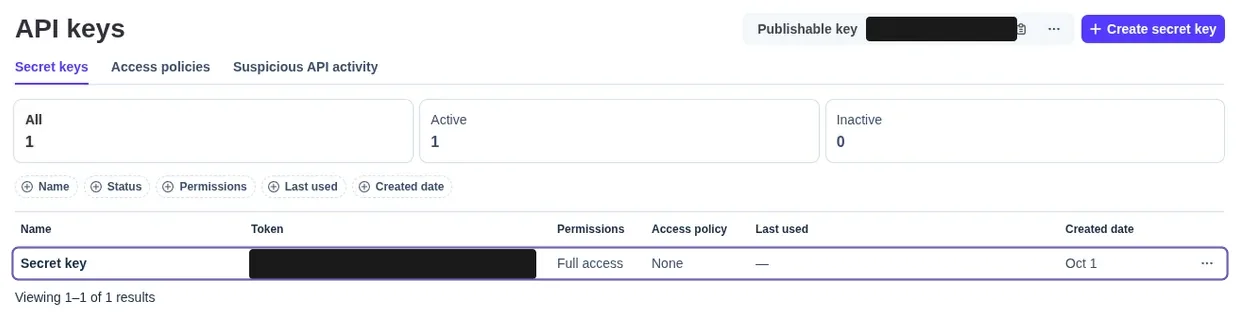
| STRIPE_SECRET_KEY | Stripe, Developers, API keys. In a sandbox it starts with sk_test_. |
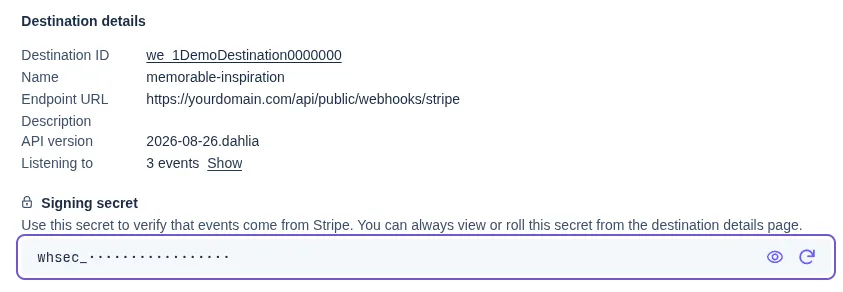
| STRIPE_WEBHOOK_SECRET | Stripe, the new event destination you create in step 3, Signing secret. It starts with whsec_. |
3. Move the Stripe webhook
Payment providers like Stripe tell your app about payments by calling a fixed address (a webhook). Change that address to your new backend.
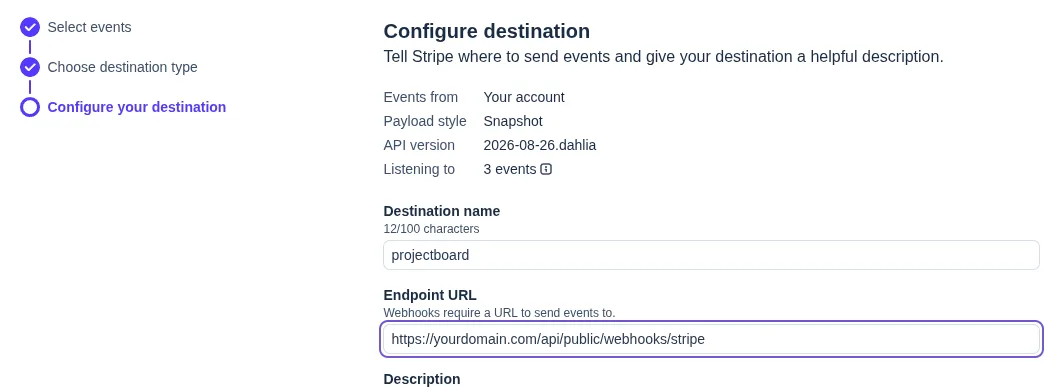
In Stripe create a new event destination with the address of the function that handles the webhook in your new project. The old signing secret does not work for it.
https://YOUR-PROJECT-REF.supabase.co/functions/v1/FUNCTION-NAME
Then open the new destination and copy its signing secret. That is your STRIPE_WEBHOOK_SECRET.
4. Add them in Supabase
Add every key in the Supabase dashboard under Edge Functions, Secrets, with the same name as before. Do not paste the values into the chat.
Open Edge Functions, Secrets again. You should see every key name the edge functions read.
The Lovable AI key does not come with you
If the app uses the AI built into Lovable, its functions call the Lovable AI gateway with a key that only works there. A new key is not enough. Change those functions so they call your AI provider's API directly, with your own key as a secret. Your AI tool can do this for you.
5. Test with a test card
Use a sandbox or test mode at your payment provider so no real money moves. In a Stripe sandbox use the test card:
| Field | Test value |
|---|---|
| Card number | 4242 4242 4242 4242 |
| Expiry | Any date in the future |
| CVC | Any three digits |
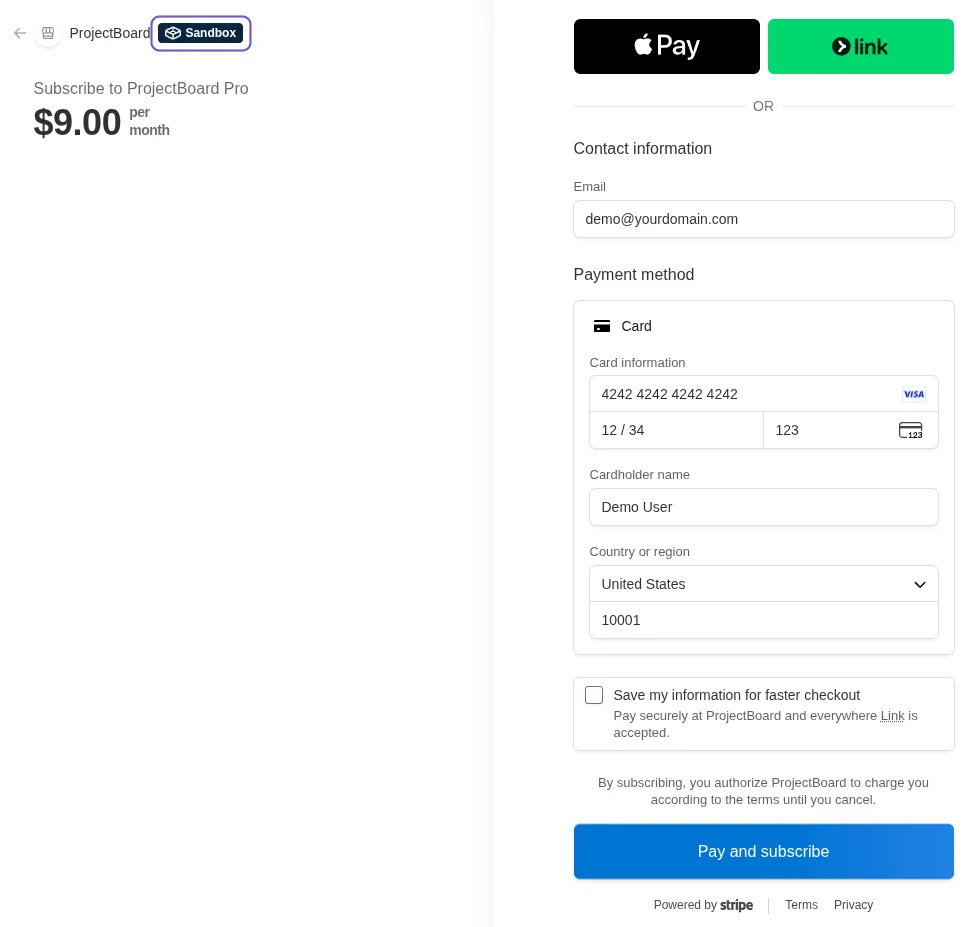
Send one AI request and make one test payment in the app. You should see the AI answer on screen and the payment in the provider dashboard.