


 Join us on Discord














Move a Replit database to Supabase
Apps from Replit Agent keep their data in PostgreSQL that Replit runs. Supabase runs PostgreSQL too, so the data moves with the standard tools: pg_dump copies it and pg_restore loads it. The one thing to get right is which of the two Replit databases you copy.
Development or production
Replit Agent sets up the database with separate development and production environments. When you publish, Replit connects the published app to the production database. The DATABASE_URL in your workspace points at the development one, with test data. For a move you want production.
The production database only exists after the first publish. Until then the Database tool lists only Development Database. The first publish creates the production one from the development data.
1. Find the production connection string
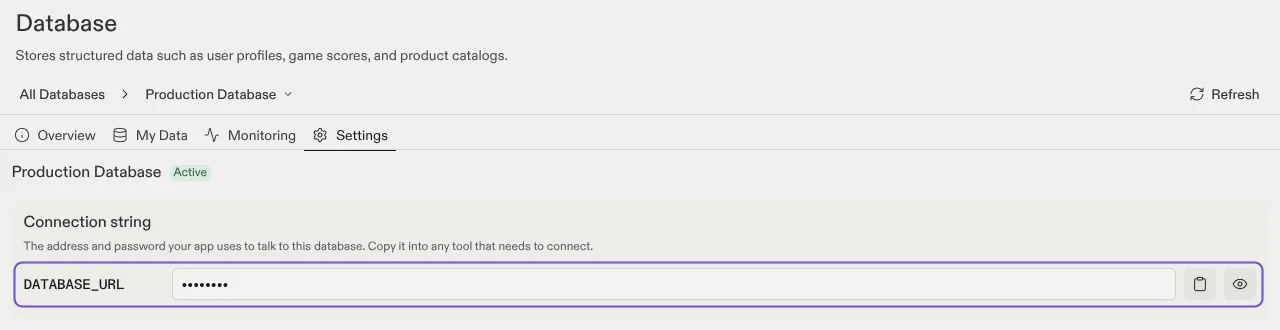
Open the Database tool in Replit, pick Production Database and go to Settings. Copy the connection string of the production database. It holds the password, so keep it out of chats and screenshots.
2. Make the dump
Run pg_dump in the Shell in Replit, or on your computer with PostgreSQL 16 or newer.
pg_dump "{{production connection string}}" -Fc -f backup.dumpThe -Fc option writes the custom format that pg_restore reads. If you made the dump in Replit, download backup.dump from the file tree.
3. Create the Supabase project
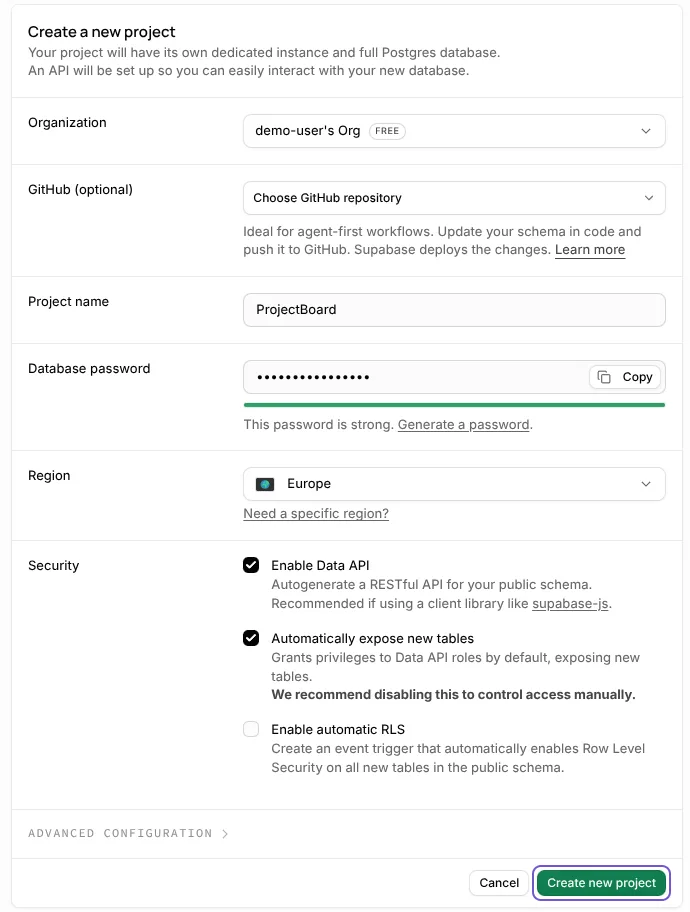
Create a new project at supabase.com in a region close to your users. Then click Connect and copy the Session pooler string. Put your database password in place of [YOUR-PASSWORD].
4. Load the data
pg_restore --no-owner --no-privileges -d "{{Supabase connection string}}" backup.dump--no-owner and --no-privileges skip the owners and the access rules of the Replit database. Its roles do not exist in Supabase. Then open the Table Editor in Supabase. You should see your tables with their rows.
5. Point the app at Supabase
Set DATABASE_URL to the Supabase string, in the .env file on your computer and on the new host. Apps from Replit Agent can use the Neon serverless driver, which is made for Neon. Ask your AI tool: "If the code uses the Neon serverless driver, switch it to the pg driver so it works with any PostgreSQL database."
Before you switch
- Data people save after the dump is not in it. For the final copy, unpublish the app in Publishing first.
- Keep backup.dump until the new setup has run for a while.
- Logins move on their own. Replit Auth users are not Supabase users, so people sign up again with the same email address.
Replit database or Supabase
| Replit database | Supabase | |
|---|---|---|
| Database | PostgreSQL | PostgreSQL |
| Who runs it | Replit, for your app | Supabase, in your own account |
| Billing | By compute time and storage, through Replit | Your Supabase plan |
| Logins and files | Replit Auth and App Storage | Supabase Auth and Storage in the same project |
Sources
- Replit docs: Manually copy a project to another workspace
- Replit docs: Add a database
- PostgreSQL docs: pg_dump
- PostgreSQL docs: pg_restore
- Supabase docs: Migrate from Postgres to Supabase