


 Join us on Discord














Replace Replit Auth with Supabase Auth
Replit Auth logs people in with their Replit account. It takes no setup and it only works on Replit. When the app moves to your own server or Vercel, the login has to change. Supabase Auth with email and password is a common choice, and the app keeps its users table.
Where Replit Auth sits
We read the code of a Replit Agent app from November 2026. The login is spread over these files:
| Where | What it does |
|---|---|
| artifacts/api-server/src/lib/auth.ts | Runs OpenID Connect against replit.com/oidc with REPL_ID as the client ID |
| artifacts/api-server/src/routes/auth.ts | The /login, /callback, /logout and /auth/user routes |
| lib/db/src/schema/auth.ts | The sessions and users tables, marked as mandatory for Replit Auth |
| @workspace/replit-auth-web | The useAuth hook the web app uses to log in and out |
The login provider and the REPL_ID come from Replit. Outside Replit the login has nothing to talk to.
The plan
Keep the users table and its IDs. Projects, tasks and anything else point at those IDs, so they stay valid. Add a column for the Supabase user ID. When someone signs up with an email that is already in the users table, link the new login to that row. Then remove the Replit login code and its routes.
Paste this into your AI tool:
This app logs people in with Replit Auth. Replace it with Supabase Auth, email and password, in my new Supabase project. Keep the users table. When someone signs up with an email that is already in the users table, link the new login to that row. Remove the Replit Auth code and the environment variables only Replit Auth reads. Ask me for the Project URL and the publishable key of the Supabase project. Show me the plan before you change anything.
Claude Code and Codex both answered with a plan along these lines and asked for the Project URL and the publishable key. Both values are safe in a browser. The service_role key is not needed for this, so do not paste it.
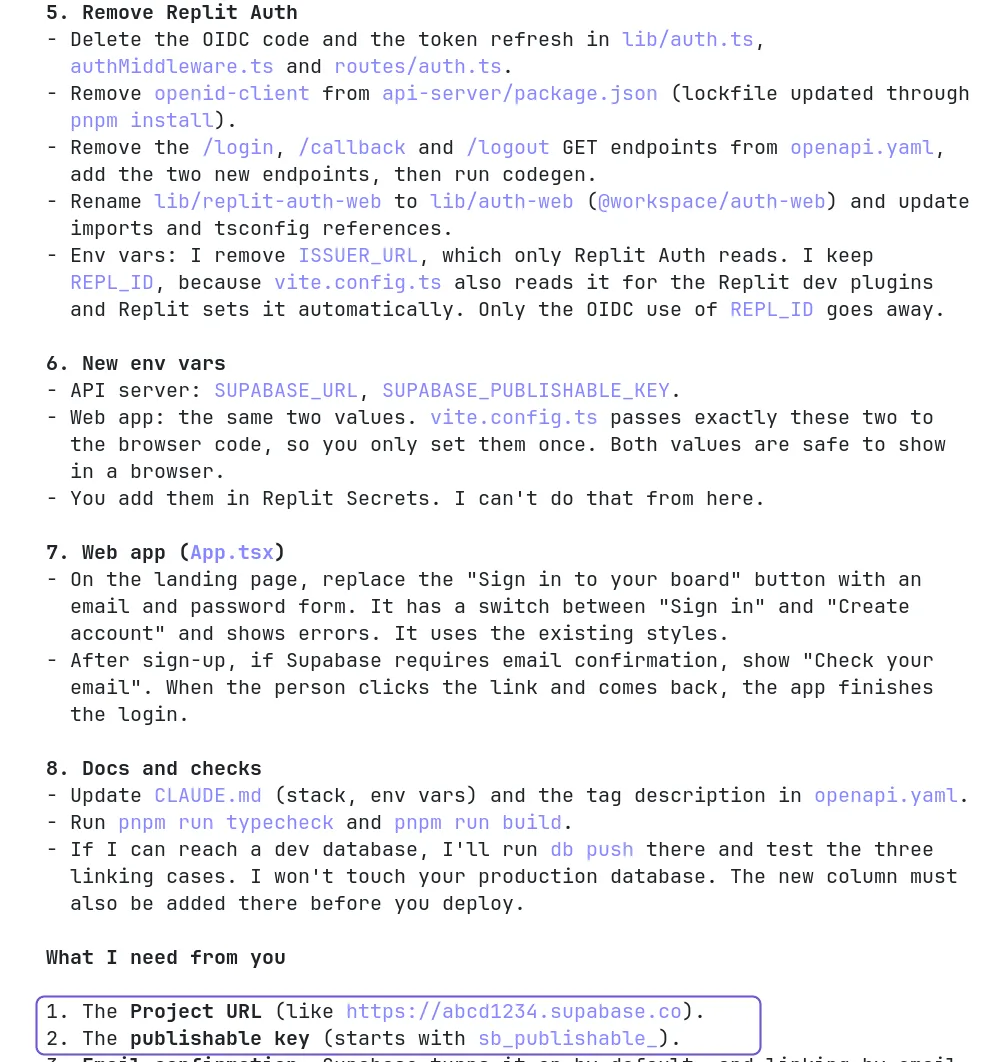
Both plans kept REPL_ID itself, because vite.config.ts of a Replit Agent app also reads it for the Replit dev plugins. Only the login stops using it.
Set up Supabase Auth
- Under Authentication, URL Configuration, set the Site URL to the new address of the app and add it to the Redirect URLs.
- Keep email confirmation on. Linking by email is only safe when Supabase has checked the address first.
- The built-in email sender of Supabase only sends to the members of your Supabase team, with a low hourly limit. For real users, set up your own SMTP under Authentication, Emails.
What your users see
Everyone signs in once more. They create a password with the email they used on Replit, confirm it and see their old projects again. Old Replit sessions stop working.
Replit Auth or Supabase Auth
| Replit Auth | Supabase Auth | |
|---|---|---|
| Login | A Replit account | Email and password, or other providers |
| Works on | Replit only | Any host |
| Users | Your users table, filled from Replit | auth.users in Supabase, linked to your users table |
| Setup | Done by Replit Agent | A Supabase project, the URL Configuration and SMTP for real email |
Sources
- Replit docs: Auth
- Supabase docs: Password-based auth
- Supabase docs: Send emails with custom SMTP
- Supabase docs: Redirect URLs