


 Join us on Discord














Move Replit App Storage files to Supabase
Files people upload in a Replit Agent app, for example avatars, go to Replit App Storage. When the app leaves Replit, the files and the upload code both move to Supabase Storage.
How App Storage works in the app
We read the code of a Replit Agent app from November 2026. artifacts/api-server/src/lib/objectStorage.ts uses the Google Cloud Storage client. It gets its access from a Replit service at 127.0.0.1:1106, and it reads the bucket paths from PRIVATE_OBJECT_DIR and PUBLIC_OBJECT_SEARCH_PATHS. The web app asks the API for a signed upload address, sends the file there and saves its path on the user, for example as avatarPath.
The Replit service exists only on Replit, so uploads and downloads stop working anywhere else.
1. Download the files
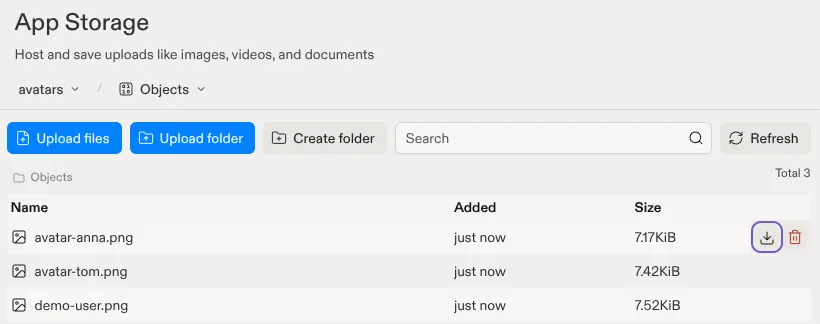
In Replit, open Tools, then App Storage. Each file has a download icon next to it. App Storage downloads one file at a time.
2. Create a bucket in Supabase
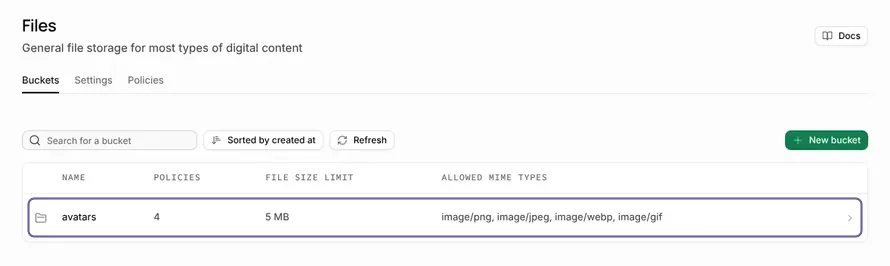
In your Supabase project, open Storage and create a bucket. Make it public only if the files are public in the app, like avatars on a profile page. Upload the files with the same folder names, so each file keeps its path.
3. Change the upload code
Paste this into your AI tool, with the name of your bucket:
This app stores files in Replit App Storage. Change the upload and download code to Supabase Storage, bucket {{bucket name}}. Keep the same file paths, so the links saved in the database still work.App Storage or Supabase Storage
| Replit App Storage | Supabase Storage | |
|---|---|---|
| Runs on | Google Cloud Storage, through Replit | Supabase, in your own project |
| Works on | Replit only | Any host |
| Download all files | One at a time | With the Storage API or the dashboard |
| Access rules | In the API code | Bucket settings and policies |