


 Join us on Discord













Keep a v0 project in sync with GitHub
Once a v0 project is connected to GitHub, v0 and your own editor work on the same repository. They do not see each other's changes right away. This is how the two sides meet, from our tests with v0 projects in November 2026.
How v0 pushes
Each chat works on its own branch, named v0/ and a short description of the change. When v0 has a change ready, it shows the git push it wants to run and waits for you to click Allow.
In one test v0 said "Saved feature branch" and the branch was still missing on GitHub. A second message, asking it to push the branch to the connected GitHub repository, got it there. Check GitHub before you count on a push.
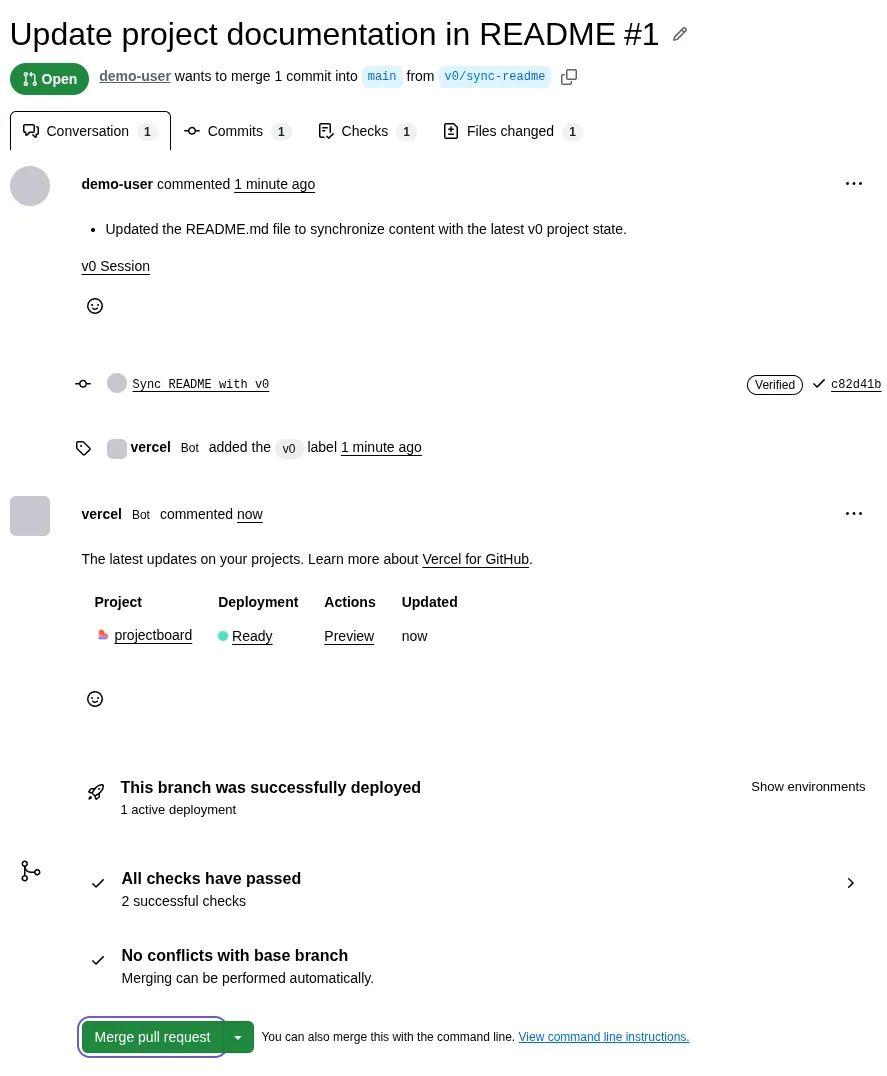
To bring the work into main, open the branch menu, click Create PR and merge the pull request on GitHub.
How your changes reach v0
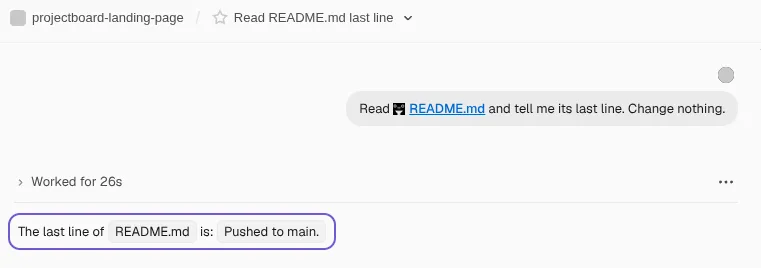
When you push to main from your computer, a chat that is already open does not see it. It stays on its branch. Start a new chat in the v0 project. A new chat starts from main, so it has your code.
The branch menu also has Pull Changes, which should bring main into the branch of the chat. On a project imported from GitHub and on a Next.js project made in v0, it answered: "Branch sync requires a Git-backed preview workspace."
Pushes go live on Vercel
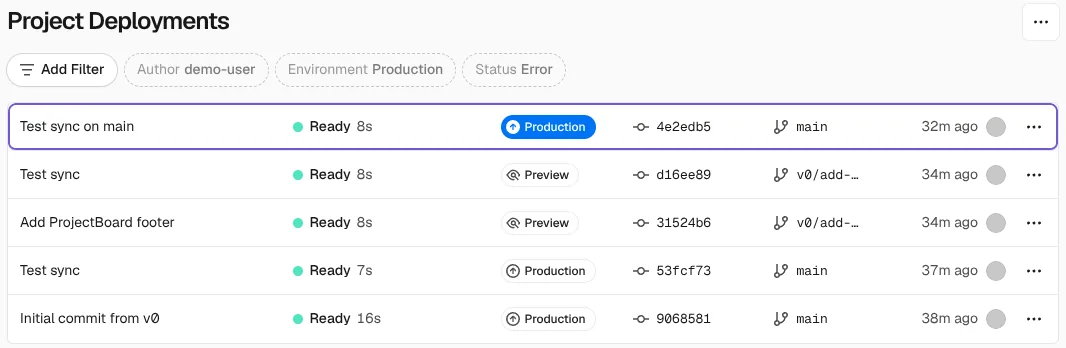
With your next change in v0 after you connect GitHub, v0 creates a Vercel project for the repository. From then on every push to main is deployed on Vercel, including the ones from your computer.
Habits that avoid conflicts
- Do not edit the same files in v0 and on your computer at the same time.
- Push from your computer, then start a new chat in v0.
- Merge the pull requests of v0 before you pull main on your computer.