


 Join us on Discord














Deploy a Replit app to Vercel
A Replit Agent app has an Express API and a Vite web app. Vercel serves the web app as static files and runs the API as a function. The code needs a few changes for that, and the parts that only work on Replit have to go before the deploy.
Before you start
- The database runs in a PostgreSQL you own, for example Supabase.
- The login is Supabase Auth, not Replit Auth.
- Uploads go to Supabase Storage, not App Storage.
The step-by-step guide Replit to Vercel goes through each one. Then two prompts get the code ready.
1. Remove the Replit parts
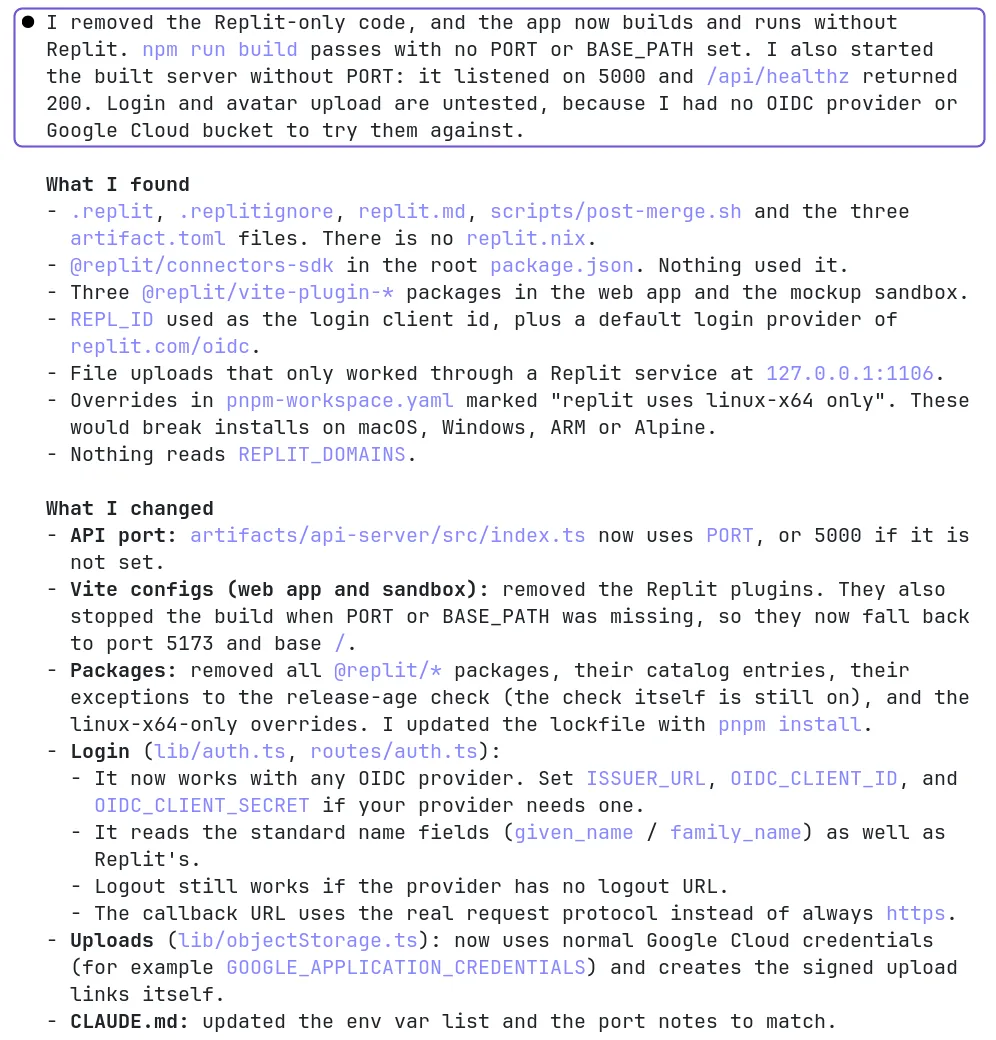
This app was built on Replit. Find what only works there: the .replit and replit.nix files, packages that start with @replit and code that reads REPL_ID or REPLIT_DOMAINS. Remove what the app does not need outside Replit. Make the server listen on the port in the PORT environment variable, with 5000 as the fallback. Then run npm run build and fix any error. Tell me what you changed.
In our test Claude Code and Codex both removed the @replit packages and the Replit Vite plugins, made the server listen on PORT with 5000 as the fallback and got a passing build. The prompt says npm run build. The project is a pnpm workspace, and both tools ran pnpm on their own.
2. Make it build for Vercel
This app has an Express server and a Vite frontend from Replit. Make it deploy on Vercel: the frontend as static files and the Express routes as Vercel functions. Keep the same API paths. Sessions must not live in memory. Run npm run build and fix any error. Tell me what you changed.
Both tools ended up with the same setup: the built web app as static files, one Node function that runs the Express app and routes that send /api/* to the function and the rest to index.html. Sessions needed no change. The app already stored them in a sessions table in Postgres.
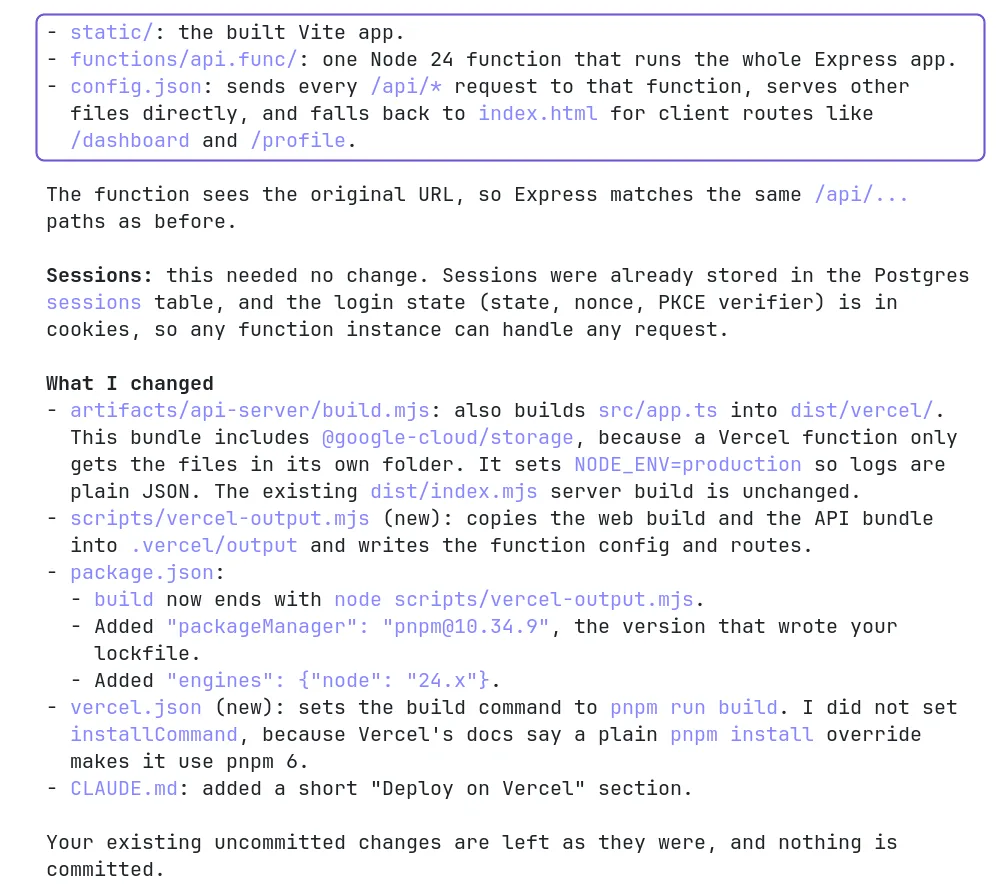
Claude Code also pinned the pnpm version in package.json. Vercel uses that version only when the project has the ENABLE_EXPERIMENTAL_COREPACK=1 environment variable.
3. Deploy
Import the repository in Vercel. Before you click Deploy, open Environment Variables and add DATABASE_URL and the Supabase values. For DATABASE_URL, use the pooled connection string from Supabase. Every function instance opens its own connections, and direct connections can run out.
Replit or Vercel
| Replit | Vercel | |
|---|---|---|
| API | One process that runs all the time | A function that starts on a request |
| Web app | Served through the Replit router | Static files |
| Database | Replit PostgreSQL | Your own, for example Supabase |
| New version | Republish in Publishing | Every push to GitHub |
Sources
- Vercel docs: Express on Vercel
- Vercel docs: Node.js runtime
- Vercel docs: Build Output API
- Vercel docs: Corepack
- Supabase docs: Connect to your database