


 Join us on Discord













Leave Lovable without losing your app
Cancelling Lovable does not take your app down. Deleting the project does, within a minute. Each button in Lovable does something different, so here is what each one does and the order that keeps your code, your data and your domain.
What each step does
| Step | What happens |
|---|---|
| Cancel the plan | The plan runs to the end of the billing period. The published app stays live on Free. |
| Disconnect GitHub | The sync stops. The repository stays on GitHub with its history. You cannot connect the same repository again. |
| Unpublish | The live address stops working. The project stays in the editor. |
| Delete the project | The published app stops within about a minute. The backend pauses, its data stays. You can restore it for 60 days. |
| Remove Lovable Cloud | The backend is deleted for good: database, users and files. It cannot be undone. |
1. Get the code onto GitHub
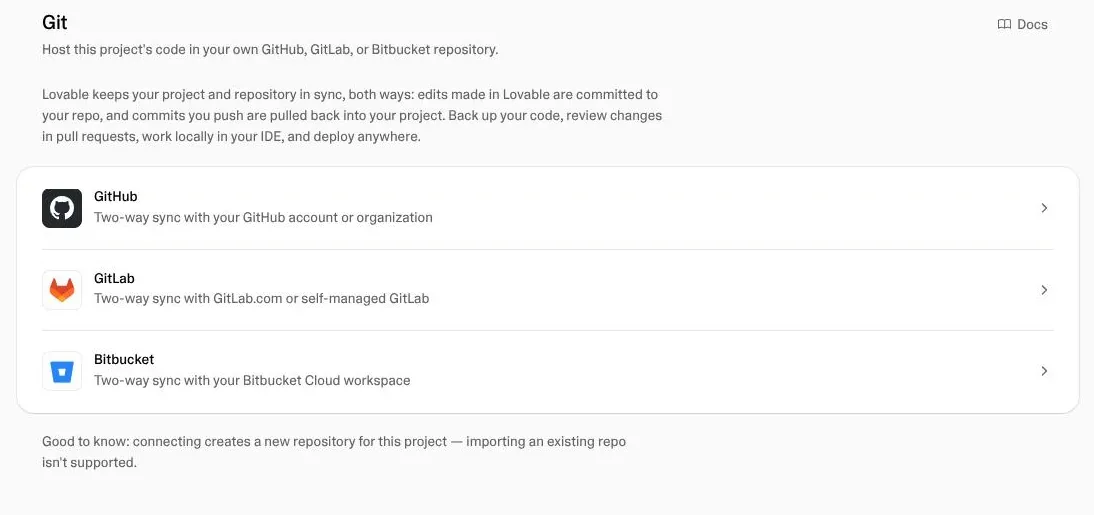
Connect the project to GitHub in Lovable and let it create the repository. This works on every plan. Then copy the repository to your computer so you can open it in Claude Code, Codex or Cursor.
2. Run the app somewhere else
Deploy it to Vercel, Cloudflare or your own server and check every page there. Your Lovable app keeps running while you do this, so nobody notices.
3. Move the backend, if it is Lovable Cloud
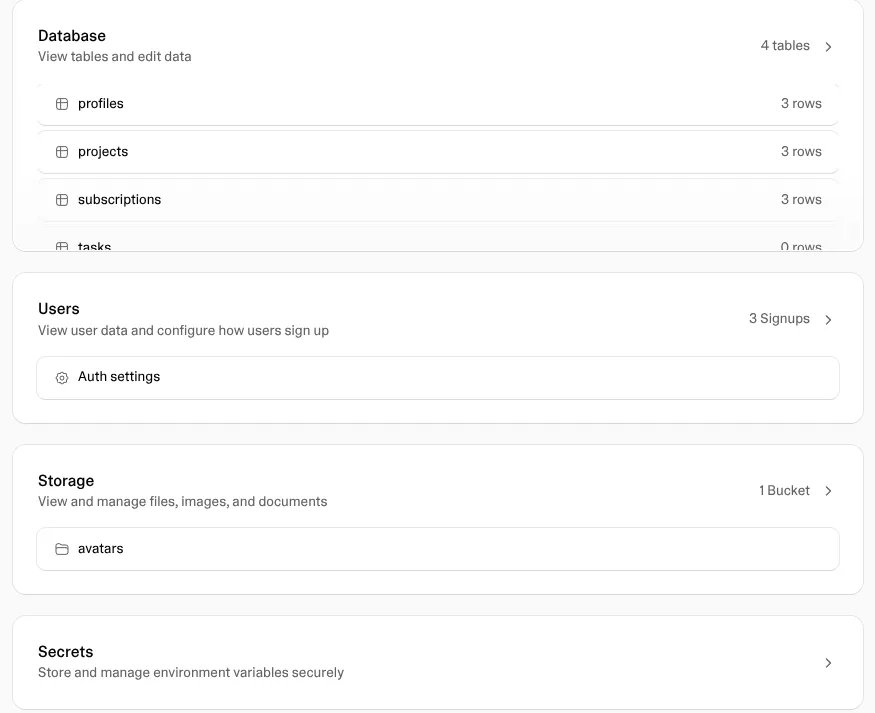
Lovable Cloud keeps using your workspace credits while the app uses it. To leave it, move the database, users, files, edge functions and secrets to a Supabase project you own. Export data gives you the database and the users, not the files or the secrets.
4. Move the domain
Point the DNS records of your domain to the new host. When the domain opens the new app, open the Lovable project, go to Settings, Domains and click Disconnect in the menu of the domain. A domain you bought through Lovable stays yours.
5. Disconnect GitHub
Open Project settings, Git, GitHub and click Disconnect in the menu of the connection. Now Lovable cannot overwrite your work. If you connect again later, Lovable makes a new repository.
6. Unpublish and cancel
Open Project settings and click Unpublish project, so the old copy is gone from the lovable.app address. Then cancel the plan. Monthly and rollover credits freeze when the plan ends, and Lovable does not refund them. Use them up first.
7. Delete only at the end
Wait until the new setup has run for a while. Then delete the project, if you want to. Remove Lovable Cloud only after you have checked your data in the new project, because nothing brings it back.
Sources
- Lovable docs: Manage your subscription
- Lovable docs: Delete a project
- Lovable docs: GitHub integration
- Lovable docs: Publish
- Lovable docs: Custom domains
- Lovable docs: Deployment, hosting and ownership